- Published on
Building a Homelab from Scratch: Ideation and Preparation (Part 1)
- Authors

- Name
- Khoa (Atlas Labs)
- Occupation
- Full-stack developer
What is a HomeLab?
A HomeLab is a technology experimentation space set up right at home, where you can freely build, test, and explore computer systems or new technologies. All you need is an old laptop to start building your own homelab.
If you want to set up nginx, please refer to Part 2
Why Build a HomeLab?
Some people might wonder: Why set up a HomeLab when you can rent a VPS for just $5/month? The reason is that when using a VPS, you only work with pre-configured services, limiting your opportunity to explore lower technology layers such as Layer 1 or Layer 2. A HomeLab offers many benefits such as:
- Learning and practice: Experiment with new technologies and solve real-world problems yourself.
- Full autonomy: You control your entire system.
- Cost savings: Use free solutions like MinIO instead of AWS S3.
- Skill enhancement: Build skills in system administration, networking, and security.
- Satisfy your passion: Freely carry out personal projects or share knowledge with the community.

Steps to Build a HomeLab
First, you need to clearly identify your personal needs to build a HomeLab with a reasonable budget that meets your goals.
1. Define Your Goals
- Learning: Create a practice environment for learning technology.
- Experimentation: Run personal projects or try new technologies.
- Production: Host websites, blogs, or online services.
2. Choose the Right Hardware
You can use an old computer or invest in new hardware. Here are some recommendations:
- Old laptop: An ideal choice for beginners, helping save costs and power consumption.
- Raspberry Pi, Orange Pi: Small, low-cost devices, suitable for basic projects.
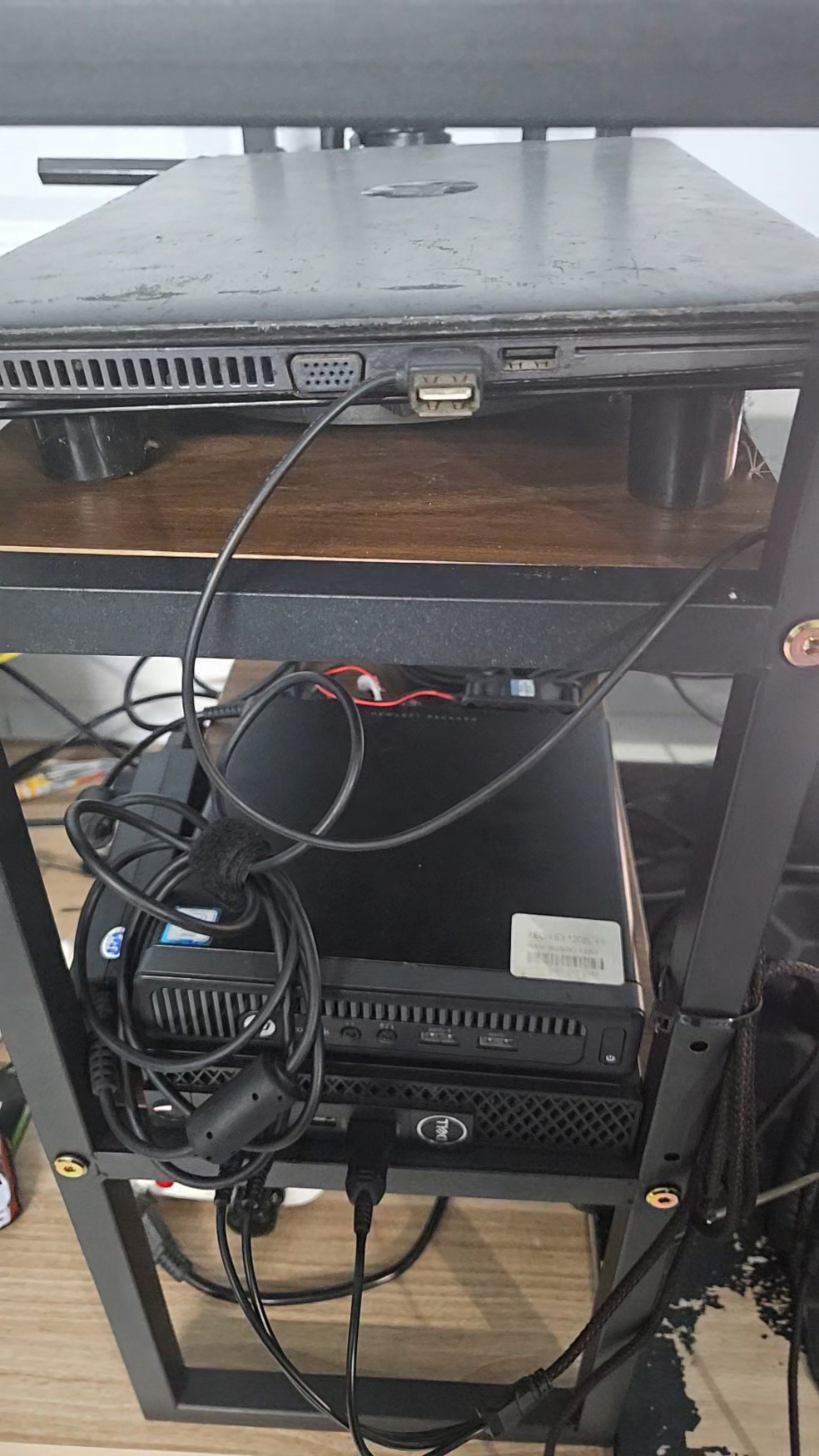
- Mini PC: The optimal choice due to its small size, flexible configuration, and easy upgradability.
- Dedicated server: For those with a larger budget.
💡 Personal recommendation: Mini PC is the most suitable choice thanks to its balance of cost, performance, and upgradability. For example, I use an HP 800 G1 Xeon and a Dell Optiplex 3060 i7, which handle everything from learning to experimentation well.
3. Choose an Operating System
There are quite a few operating systems and various versions of them out there. But in my opinion, for starting a homelab, you should choose Ubuntu Server because it's fairly easy to install, uses fewer resources, and has a large community.
4. Install Software
For beginners, using a container management tool like Portainer is an ideal choice. It's easy to use and doesn't require much knowledge of Linux or network administration.
Here are some other software and tools you can choose from:
Web servers: Nginx, Nginx Proxy Manager (easier Nginx management and configuration), Apache HTTP Server
Monitoring tools: Grafana, Nagios, Zabbix
SaaS: Supabase (self-hosted version of Firebase)
What Can You Do with a HomeLab?
With a HomeLab, you can carry out many interesting technology projects:
- Self-host a website or blog: Manage your own online space.
- Create a personal email server: Manage email securely and privately.
- Build a media server: Store and stream movies, music, and photos.
- Set up a home automation system: Manage smart devices.
- Experiment with programming: Learn new languages and frameworks.
- Host a game server: Play and share games with friends.
- Learn networking and security: Configure VPNs, routers, and firewalls.

Advice for Beginners
- Start small: Don't try to do too much at once.
- Learn from the community: Join forums or HomeLab groups to exchange experiences.
- Practice regularly: Skills improve through practice.
- Ensure security: Configure firewalls, restrict unwanted access.
- Back up data: Back up regularly to avoid data loss.
Summary
A HomeLab is not just a learning tool, but also an ideal technology playground. By building and managing your own system, you not only improve your skills but also discover many new values.
In the next article, I will guide you on how to set up a HomeLab and use free services effectively. Stay tuned!
👉 If you found this article helpful, please share it and follow for more interesting content!